Unread highlight
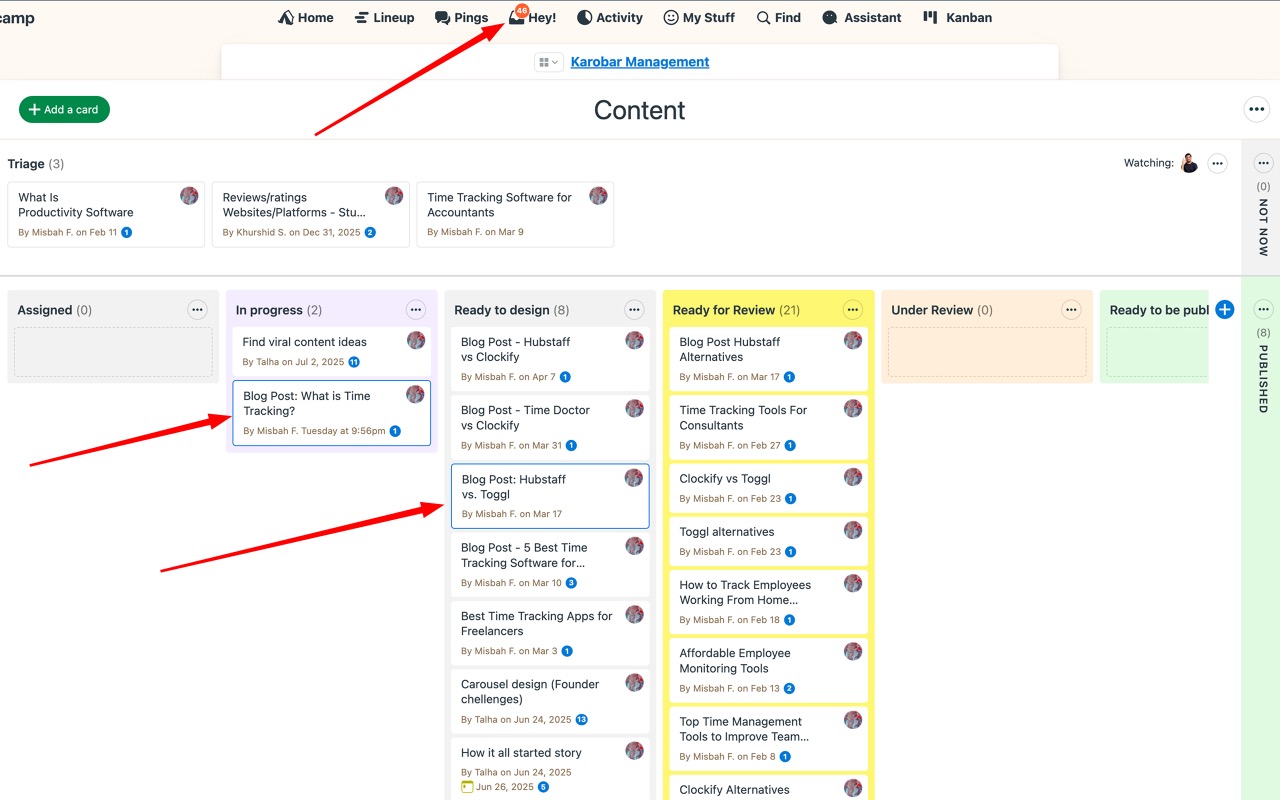
Skip the scroll. Assistant draws a border around any to-do, card, or message with new activity so you can jump straight to what’s changed since your last visit.
What gets highlighted
- To-dos with a new comment or a completion toggle
- Cards with new content or comments
- Messages you haven’t opened yet
Unread items get a colored border outlining the row or card. No extra clicks, just scan the list and the new stuff stands out.
How “unread” is tracked
Unread state is per-user and per-device. Assistant tracks the last time you viewed each item and compares it to the item’s latest activity. Opening an item clears its highlight immediately.
Tips
- Unread highlight works on the Kanban board too: unread cards are outlined so they stand out in a busy column.
- Marking a to-do complete doesn’t automatically clear unread for other viewers. They still see it changed.
Can't find what you need? Email us at hello@getassistant.io