How to Set WIP Limits on a Basecamp Kanban Board
If you run a Kanban board, WIP limits are the one rule that does the most work. WIP stands for “work in progress,” and a WIP limit caps how many cards are allowed in a column at once. The point is simple: stop a team from starting ten things and finishing none. Basecamp has no native way to set a WIP limit on anything. Assistant for Basecamp adds one: you click a column’s count, type a number, and everyone on the board sees the same cap. This guide covers how to set one, what number to pick, and how to run the same rule by hand if you’re staying on native Basecamp.
What is a WIP limit in Kanban?
A WIP limit is a maximum number of cards you allow in a column. If your In Progress column has a WIP limit of 4, the rule is that no more than 4 cards can sit there at the same time. When the column is full, nobody pulls a new card in until someone finishes one and moves it out.
It sounds like a restriction, but it works the opposite way. A WIP limit forces a team to finish what it started before grabbing the next thing. Half-done work is the most expensive kind, because it ties up people and gives you nothing shippable. Limiting work in progress is how Kanban keeps the flow healthy: fewer things open, more things done.
The clearest sign you need one is a column that keeps growing. If In Progress has 12 cards and three of them haven’t moved in a week, that column is a parking lot, not a workflow.
Does Basecamp let you set a WIP limit?
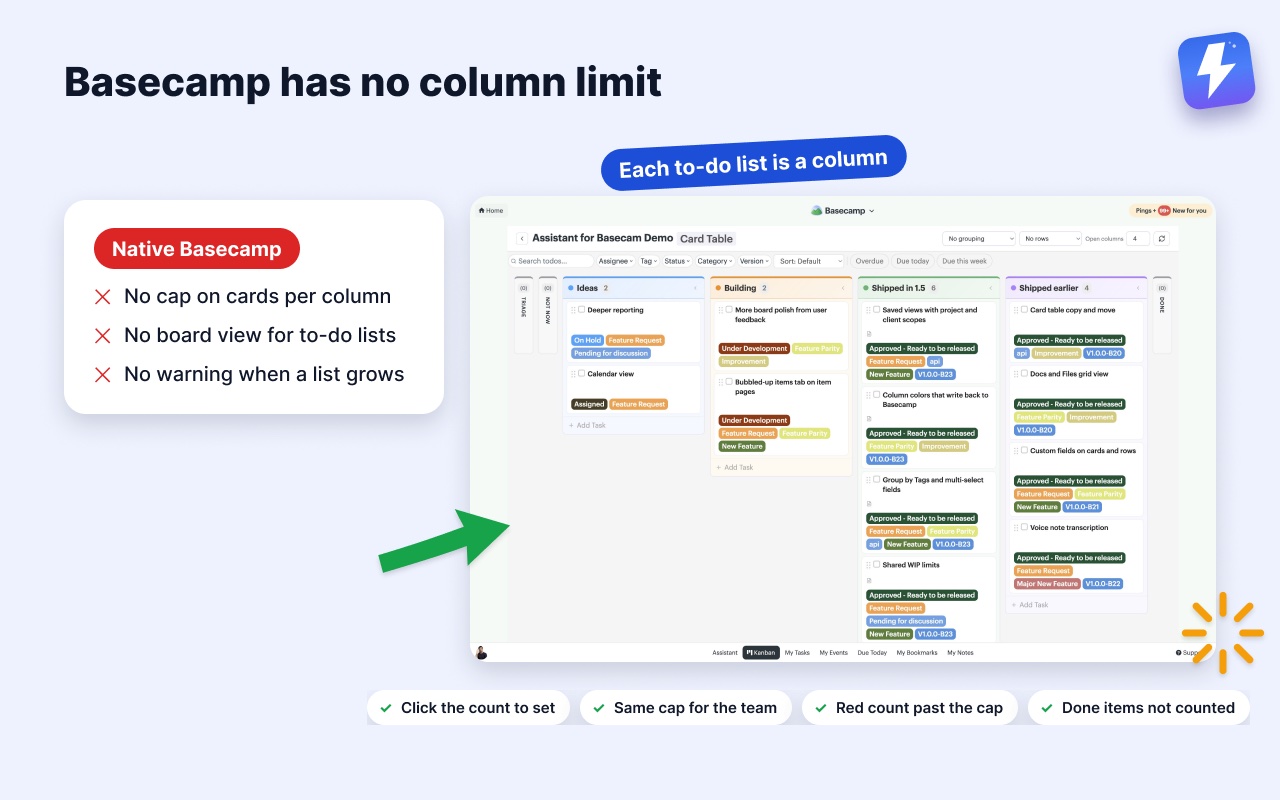
No. Basecamp’s native tools have no concept of a column limit. Its Card Table gives you columns and cards you drag between them, but there’s no setting to cap how many cards a column holds, and to-do lists have no board view at all. You can eyeball a list and notice it’s getting long, but nothing warns you or stops the pile from growing.
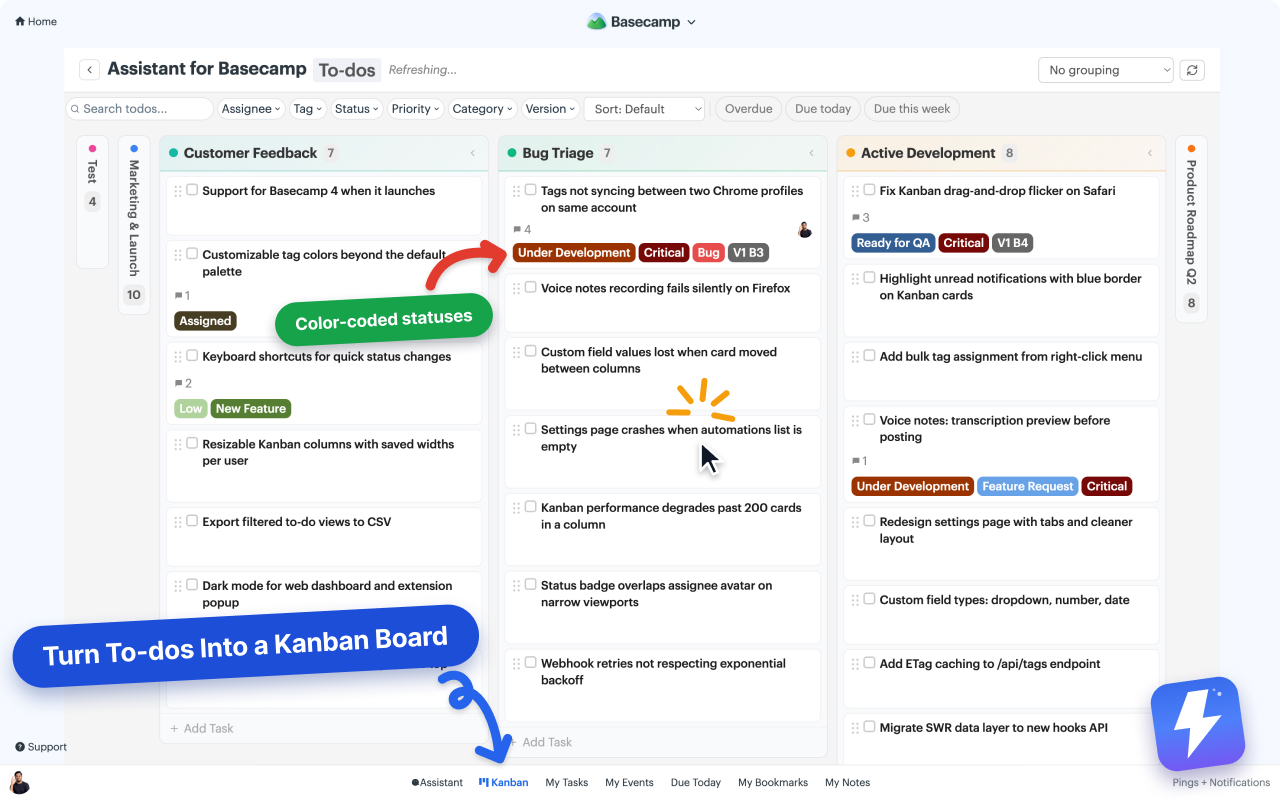
Assistant for Basecamp adds the limit Basecamp leaves out. On its board, each to-do list becomes a column, so your project’s real structure is the board, and every column header shows how many open cards are in it. Click that count and you can set a cap for the column. The cap is stored on the board, so it’s a shared rule the whole team reads the same way, not a number in one person’s head.
One honest boundary: the limit is a signal, not a lock. Basecamp will always let someone add another to-do to a list from its own UI, so nothing physically blocks an eleventh card. What the limit does is make going over impossible to miss, which is the part teams were missing. (Everything the board does is on the Kanban board for Basecamp page.)
How to set a WIP limit on a Basecamp Kanban board
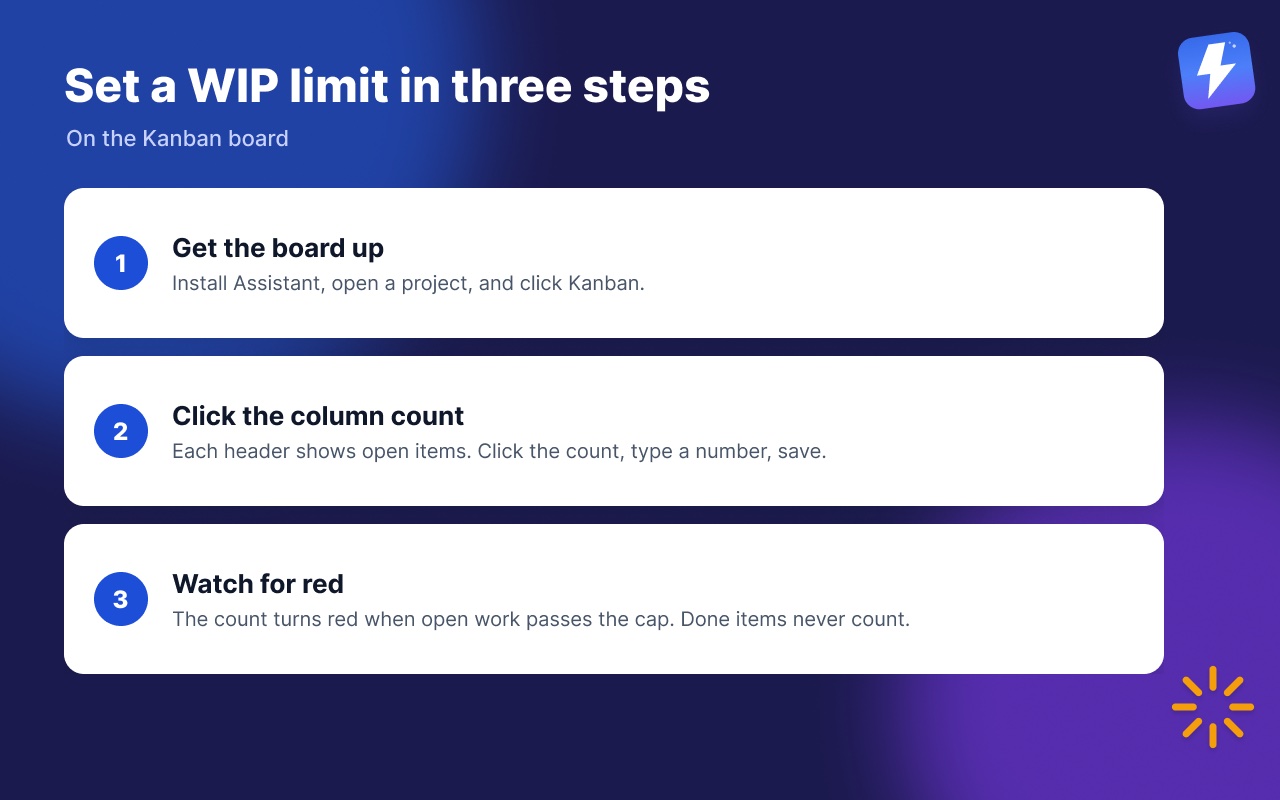
- Get the board up. Install Assistant for BasecampAssistant for Basecamp from the Chrome Web Store or Firefox Add-ons, open a project, and click Kanban. Anyone connects the Basecamp account once and everyone on it gets the board. The getting started guide walks through the first connection.
- Click the count on the column you want to cap. Every column header carries a count of the open items in it. Click the count, type the number you want to allow, and save.
- Watch for red. The count turns red as soon as open work in that column goes past the cap. Completed items never count toward it, so a column full of finished work won’t trip the limit and send you chasing a false alarm.
Limits are stored per board, which means the same column can allow 10 in one project and 3 in another. A busy retainer and a two-person side project don’t have to share a number. Admins set limits, and members can set them too on fields where the admin has allowed member options.
If you’re not using the extension
The whiteboard version still works, and it’s worth knowing, because Kanban teams ran limits this way for years before any tool tracked them. Rename the to-do list to carry its cap: In Progress (max 4). Because each column is a real Basecamp to-do list, the limit is now visible to the entire team, including people who never open a board. It’s slower to read than a red count and nothing does the counting for you, but it costs nothing and the rule survives in the plain to-do list view.
What number should the limit be?
There’s no universal answer, but a few rules of thumb hold up:
- For an In Progress style column, start near your team size. A team of five rarely works five things well at once, so a limit of 3 to 5 is a sane starting point. If cards still stall, the limit is too high.
- Tighten the column that stalls, not the whole board. WIP limits matter most on the middle columns where work actually happens. A Backlog or Done column usually doesn’t need one.
- Adjust after a week or two. If you keep hitting the limit and shipping fine, raise it. If cards sit blocked, lower it. The right number is the one that keeps cards moving.
A limit you constantly override isn’t a limit, it’s a suggestion. The value comes from treating “the column is full” as a real stop.
Make the stall visible before it happens
A full column tells you something is stuck. To see why, pair the count with a couple of other signals on the same board:
- Statuses like Blocked or Waiting on client mark exactly which card is holding the column up. Here’s how to add custom statuses to Basecamp tasks.
- Grouping rebuilds the columns by assignee or status, so you can see whose column is jammed. Limits apply to those columns too, so you can cap In review at four however the board is arranged. See how to filter and group Basecamp tasks.
Together these turn “the column is full” into “this card is blocked on the client, that’s why nothing’s moving.” For the full board reference, the Kanban help doc covers columns, filters, and grouping.
Where Basecamp’s own tools still win
Honesty matters here. Basecamp’s Card Table is a genuinely good tool if a board is all you want and you don’t mind tracking work separately from your to-do lists. It’s built in, it’s free, and there’s nothing to install. If your team already lives happily in Card Tables and a growing column has never hurt you, you may not need an extension at all.
What you can’t do natively is get a board over the to-do lists where most teams actually track work, or see per-column counts with limits on them, statuses, and grouping in one view. That’s the specific gap Assistant fills, and it’s worth being clear that it’s a gap, not a reason Basecamp is bad at everything.
Does this move my data or replace Basecamp?
No. The board is a view on top of your existing to-do lists, not a copy of them, and dragging a card moves the real to-do in Basecamp. The WIP limits themselves are stored on Assistant’s servers, which is how the whole team sees the same number. Teammates who don’t install the extension see Basecamp exactly as before, and if you uninstall, your lists and items are exactly as you left them.
Assistant is one flat price, $29/month or $290/year for the whole team, unlimited seats, with a 7-day free trial and no card needed. Full details are on the pricing page.
The short version
A WIP limit caps how many cards a column can hold, which forces a team to finish work before starting more. Basecamp can’t do this natively. Put the board over your lists with Assistant for Basecamp, click a column’s count, and set the cap: the whole team sees the same number, and the count turns red when open work goes past it. Start the limit near your team size and lower it the moment cards stop moving.
Useful? Tell Google you want more of this.